


Thermostat HONEYWELL T6 Pro Z-Wave TH6320ZW2007/U | Montreal, Laval, Longueuil, South Shore & North Shore
If your home is already equipped with a home automation system or a Z-Wave-compatible security panel, it would be a shame to add a thermostat that lives in its own app, apart from everything else.
Quick facts
If your home already has a home automation system or a security panel compatible with Z-Wave, it would be a shame to add a thermostat that lives in its own app, apart from everything else. The Honeywell T6 Pro Z-Wave TH6320ZW2007/U thermostat integrates into your existing network instead. It communicates over Z-Wave Plus with your controller or hub, and you manage it through that controller's app, along with your locks, lights and sensors.
The thermostat for Z-Wave smart homes
One key point first: this thermostat has no Wi-Fi. It requires a Z-Wave controller or hub to be controlled remotely, and a Z-Wave Plus controller with security enabled is recommended. Without a controller, it works as an excellent standalone programmable thermostat, but without remote access. That's why we check your home automation equipment before suggesting this model.
The T6 Pro Z-Wave carries Z-Wave Plus certification, which means better range and more bandwidth. It works with any Z-Wave compliant controller or hub and remains backward compatible. The 2007 version supports SmartStart inclusion, which makes adding the thermostat to the network simpler.
A multi-stage, dual energy thermostat
Home automation shouldn't distract from what matters most, which is controlling the heat. The T6 Pro Z-Wave handles up to 3 heating and 2 cooling stages (3H/2C) on a heat pump, with dual energy support, and up to 2H/2C on a conventional system. It controls 24 VAC gas, oil or electric forced-air systems, hot-water coils, hydronic systems, as well as steam and gravity systems.
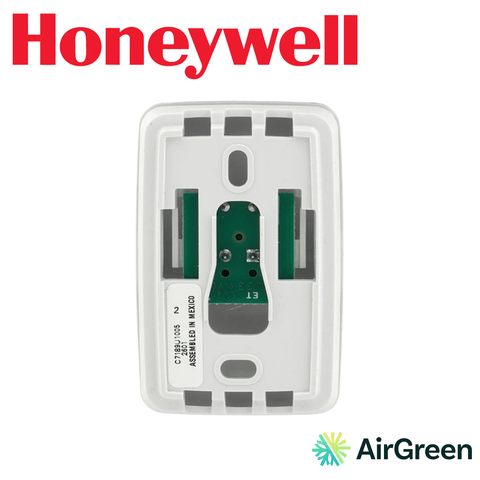
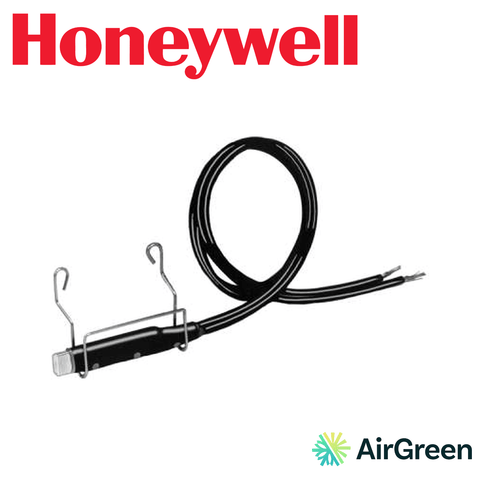
With the optional C7089U1006 outdoor sensor, the thermostat can apply dual energy lockout and backup heat lockout based on the outdoor temperature. For a Québec home heated by a central heat pump with a backup furnace, this is a key feature: the heat pump does the heavy lifting, and the backup heat only steps in when conditions call for it. A C7189U1005 remote indoor sensor can also be added when the thermostat's location isn't representative.
Like any 24 V thermostat, it does not control 120/240 V electric baseboard heaters.
Batteries or hardwired power
Unlike Wi-Fi thermostats, the T6 Pro Z-Wave can run on batteries or hardwired power (20 to 30 VAC, 50/60 Hz). That's an advantage when the existing wiring has no common wire: installation is still possible without opening the walls. When a C wire is available, we prefer hardwired power.
Scheduling or occupancy-based control
The thermostat offers 7-day, 5-1-1 or 5-2 scheduling, a non-programmable mode, or occupancy-based control through your Z-Wave panel or app. That last option is worth a look: when your security system is armed in away mode, the home automation scene can lower the heating setpoint, then raise it again when the system is disarmed.
Touchscreen and protection settings
The 6.89 sq in. LED-backlit touchscreen lets you make every adjustment right at the wall. For rental units, offices or homes with young children, the T6 Pro Z-Wave offers adjustable setpoint range limits and keypad lockout. The switch to daylight saving time is handled automatically. Rated accuracy is ±0.5 °C (1 °F).
Installation by our technicians
The thermostat mounts on the UWP mounting system, and the box also includes an electrical box installation adapter. Installation happens in three steps:
- Connection to the heating and cooling system, configuration of the stages and, if needed, dual energy with the outdoor sensor.
- Inclusion of the thermostat in your Z-Wave network, using SmartStart when your controller supports it.
- Operation check from the thermostat and from your controller's app, followed by a walkthrough of the settings.
If your home automation system is managed by an integrator or a monitoring centre, we're happy to coordinate the inclusion with them.
The T6 Pro Z-Wave compared with its neighbours
The T6 Pro Programmable offers similar staging logic, with no connectivity at all. The T6 Pro Smart connects to Wi-Fi and has its own app. The T6 Pro Z-Wave stands apart: it's designed for people who want a single ecosystem for the whole house, run by a Z-Wave controller rather than a pile of different apps.
Winter savings through scenes
The value of a Z-Wave thermostat shows most during the heating season. By linking the setpoint to the state of your home (alarm armed, last person leaving, bedtime), you avoid heating empty rooms without even thinking about it. Combined with dual energy lockout, this kind of control lets the heat pump handle most of the heating and saves the backup source for when it's really useful. Comfort stays the same, and consumption follows your real habits rather than a setting forgotten on the wall.
Proper use and maintenance
If the thermostat runs on batteries, replace them as soon as the indicator calls for it to keep Z-Wave communication reliable. Clean the screen with a soft, dry cloth. Review your home automation scenes when the seasons change, since heating and cooling needs aren't the same. Finally, have your furnace or heat pump serviced every year.
Technical specifications
- Stages: up to 3H/2C on a heat pump with dual energy; up to 2H/2C on a conventional system
- Systems: Z-Wave networks; 24 VAC gas, oil or electric forced air; hot-water coil; hydronic; steam or gravity
- Power: 20 to 30 VAC, 50/60 Hz; batteries or hardwired
- Display: LED-backlit touchscreen, 6.89 sq in.
- Connectivity: Z-Wave Plus with SmartStart, no Wi-Fi; Z-Wave controller or hub required
- App: your Z-Wave controller's app
- Optional sensors: C7089U1006 outdoor, C7189U1005 remote indoor; occupancy through Z-Wave panel or app
- Scheduling: 7-day, 5-1-1, 5-2, non-programmable or occupancy-based
- Features: dual energy and backup heat lockout with outdoor sensor, setpoint limits, keypad lockout, daylight saving time
- Accuracy: ±0.5 °C (1 °F)
- Dimensions: 103.6 x 103.6 x 28 mm
- Colour: white
- Contents: thermostat, UWP mounting system, installation adapter
AirGreen, from heating to home automation
AirGreen Inc. is a family business in HVAC with more than 15 years of experience, an RBQ licence and a showroom in Boucherville. For the sale and professional installation of the T6 Pro Z-Wave, contact AirGreen. We serve Montréal, Laval, Longueuil, the North Shore and the South Shore.
Key facts: HONEYWELL T6 Pro Z-Wave TH6320ZW2007/U
Four things to know, then its ID card in twelve answers. “—” means the manufacturer does not publish it.
Is the HONEYWELL T6 Pro Z-Wave TH6320ZW2007/U compatible with your heating?
Two steps, thirty seconds. The verdict takes your system and your wiring into account.
Full compatibility table
The terminals behind the thermostat
Tap an element to see what it does. A working diagram, not a substitute for the manufacturer’s installation guide.
Try the HONEYWELL T6 Pro Z-Wave TH6320ZW2007/U before you buy
Raise the setpoint, change the mode: see how it responds.
How much good programming can save you
Set up your typical week. The math follows the rule published by Natural Resources Canada.
Winter, Rate Flex D and rebates: what this thermostat changes
With Hydro-Québec’s Rate Flex D, electricity costs less most of the winter and more during a few peak hours. A programmable thermostat does the work for you.
The sensor decides which room counts
An interactive drawing of what this kind of control does day to day.
The HONEYWELL T6 Pro Z-Wave TH6320ZW2007/U or its closest sibling?
The most useful comparison: the model right next to it in our catalogue.
The right thermostat in three questions
If this model is not the right one for you, the page says so and shows you which one is.
Products that go with the HONEYWELL T6 Pro Z-Wave TH6320ZW2007/U
Parts named in its spec sheet that we sell and install.
Installed and set up by our technicians, in five steps
What we do at your place, in order. The on-site estimate is free.
- 01InspectionEquipment, stages to control and existing wiring.
- 02C wireCommon wire added if the model needs it and it is missing.
- 03MountingWall base, terminal wiring, cover plate if needed.
- 04SettingsEquipment type, stages, dual energy and accessories.
- 05Start-upConnection, app, schedule and tests with you.
HONEYWELL T6 Pro Z-Wave TH6320ZW2007/U specifications
From the manufacturer’s sheet. Type a word: the list filters as you write.
No line matches. Try another word.
Frequently asked questions about the HONEYWELL T6 Pro Z-Wave TH6320ZW2007/U
Short answers, no detours.
What does the HONEYWELL T6 Pro Z-Wave TH6320ZW2007/U work with?
According to the manufacturer’s sheet: Z-Wave networks; 24 V AC gas, oil or electric warm air; hot water coil; hydronic; steam or gravity.
Does it need a C wire?
Per the spec sheet, it can run on batteries; a common wire is still recommended when available.
Can it control electric baseboards?
No. It is a low-voltage (24 V) thermostat. 120/240 V baseboards need a line-voltage electronic thermostat.
Can it be controlled remotely?
Not directly: it has no built-in Wi-Fi.
What is the warranty?
5 years, per the manufacturer’s information.
Does AirGreen install it?
Yes. We sell and install this product in Montréal, Laval, Longueuil, the South Shore and the North Shore. The on-site estimate is free.
No question matches. Call us at 514 316-2973.
Your thermostat, installed and set up by our technicians
We check your system and wiring, install the thermostat, connect it and program it with you. One visit, one installed price.